



Installing a dash cam is one of the smartest upgrades you can make to your vehicle. Whether you want extra security, accident evidence, parking protection, or a cleaner modern driving setup, a professionally installed dash cam can give you peace of mind every time you drive.
But one of the most common questions drivers ask is simple: how long does it take to install a dash cam?
In most cases, a standard dash cam installation takes around 30 minutes to 1.5 hours. However, the exact time depends on the type of dash cam, your vehicle, whether you want front-only or front-and-rear recording, and whether the camera is being hardwired for parking mode.
Let’s break it down clearly so you know what to expect before booking your installation.
Average Dash Cam Installation Time
For a basic front dash cam, installation is usually quite quick. If the camera is powered through the cigarette lighter or USB port, the process may take around 30 to 45 minutes.
For a more professional setup, where the cables are hidden neatly behind the trim and the dash cam is hardwired into the vehicle’s fuse box, installation usually takes around 1 to 1.5 hours.
A front and rear dash cam installation can take longer, usually around 1.5 to 2.5 hours, because the rear camera cable needs to be carefully routed from the front windscreen to the rear windscreen or boot area.
What Affects Dash Cam Installation Time?
Not every dash cam installation is the same. Several factors can affect how long the job takes.
1. Front Camera Only vs Front and Rear Dash Cam
A front-only dash cam is faster to install because the camera is mounted near the windscreen and only requires one main power connection.
A front and rear dash cam takes more time because the installer needs to run a cable through the vehicle’s interior, usually along the roof lining, side panels, or door trims. This needs to be done carefully to avoid interfering with airbags, wiring, or interior panels.
2. Plug-In Installation vs Hardwired Installation
A plug-in dash cam is the simplest option. It connects to your vehicle’s cigarette lighter socket or USB port. While this is quick, the downside is that cables may be more visible, and some advanced features may not work.
A hardwired dash cam installation takes longer but gives a much cleaner result. The wiring is hidden, the camera turns on and off automatically with the vehicle, and parking mode can usually be activated if supported by the dash cam.
3. Parking Mode Setup
Many drivers choose a dash cam because they want protection even when the car is parked. Parking mode allows the dash cam to monitor your vehicle while the engine is off.
To enable this feature, the dash cam usually needs to be hardwired with a proper hardwire kit. This adds time to the installation because the installer needs to connect the dash cam to constant power, accessory power, and ground safely.
4. Vehicle Type
Some vehicles are easier to work on than others. A small sedan or hatchback may be straightforward, while SUVs, utes, vans, European cars, and luxury vehicles can take longer because of more complex trims, wiring layouts, or safety systems.
Vehicles with advanced driver assistance systems, rain sensors, large rear tailgates, or curtain airbags also require extra care during installation.
5. Dash Cam Brand and Features
Different dash cams come with different features. A simple single-channel dash cam is usually faster to install. A more advanced model with rear recording, GPS, Wi-Fi, cloud connectivity, battery pack support, or external parking mode wiring may require more setup time.
Is Professional Dash Cam Installation Worth It?
Yes, professional installation is usually worth it, especially if you want a clean and reliable setup.
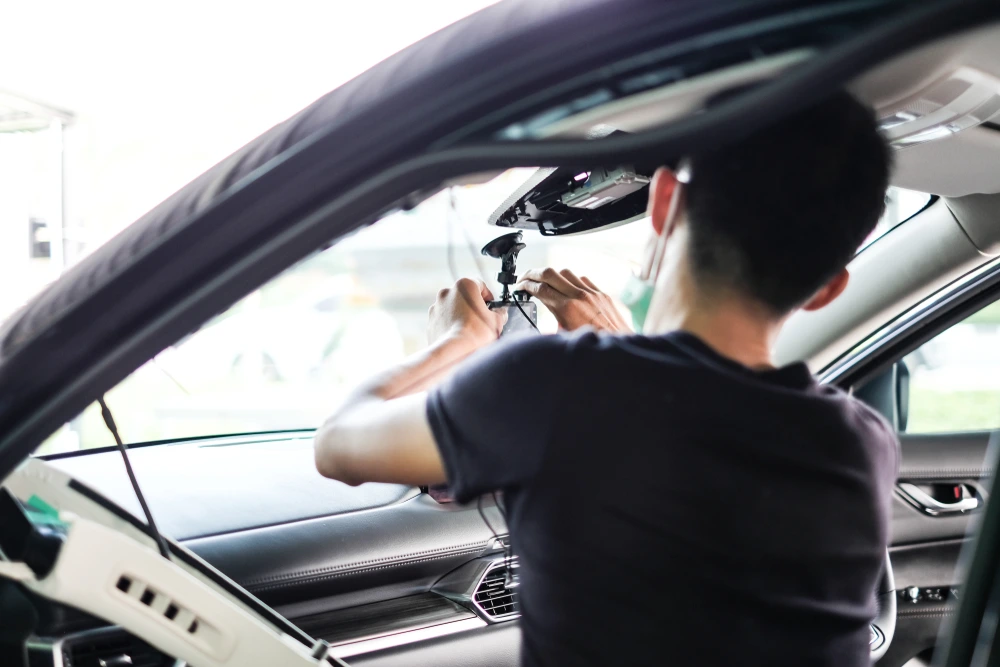
A professional installer can hide the wiring properly, position the camera correctly, connect the power safely, and make sure the dash cam does not interfere with your vehicle’s airbags or electronics.
Poor installation can lead to messy cables, loose connections, battery drain, or even damage to interior trims. For modern vehicles, especially newer models with sensitive electronics, a proper installation is important.
Can You Install a Dash Cam Yourself?
You can install a basic dash cam yourself if it only plugs into a cigarette lighter socket. However, DIY installation may not give you the cleanest result, and visible cables can make the interior look untidy.
Hardwiring a dash cam is more complex. You need to identify the correct fuse, use the correct hardwire kit, route the cables safely, and avoid damaging trims or electrical systems. If you are not confident with vehicle wiring, it is better to use a professional installer.
How Long Does a Front and Rear Dash Cam Installation Take?
A front and rear dash cam installation usually takes around 1.5 to 2.5 hours.
The rear camera is what adds most of the extra time. The cable needs to be routed neatly from the front camera to the rear of the vehicle. In some cars, this is simple. In others, especially hatchbacks, SUVs, and vehicles with powered tailgates, the routing can be more involved.
The goal is not just to make the dash cam work, but to make the installation look factory-fitted.
How Long Does a Hardwired Dash Cam Installation Take?
A hardwired dash cam installation usually takes around 1 to 2 hours, depending on the vehicle and dash cam type.
Hardwiring takes longer than a plug-in installation because the installer needs to access the fuse box, connect the correct wires, test the power source, secure the cables, and confirm that the dash cam turns on and off correctly.
If parking mode is included, the installer also needs to test that the camera receives power when the vehicle is parked without causing unnecessary battery drain.
Where Should a Dash Cam Be Installed?
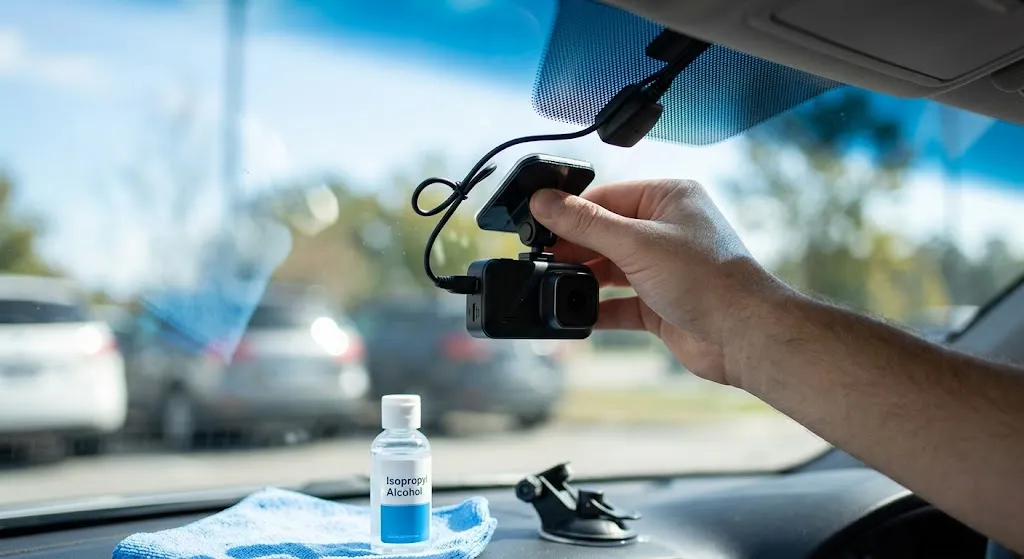
A dash cam is usually installed behind or near the rear-view mirror. This position gives the camera a clear view of the road while keeping it discreet and out of the driver’s main line of sight.
For rear dash cams, the camera is usually mounted on the rear windscreen. The exact position depends on the vehicle shape, rear wiper movement, tinting, and camera angle.
Correct positioning is important because a dash cam that is mounted too low, too high, or at the wrong angle may miss important details.
Why Choose Seven Smart Auto for Dash Cam Installation?
At Seven Smart Auto, we help drivers upgrade their vehicles with clean, professional, and practical technology solutions. A dash cam installation should not look like an afterthought. It should feel integrated, reliable, and suited to your car.
Whether you need a simple front dash cam, a front and rear system, or a hardwired dash cam with parking mode, professional installation can make a big difference to the final result.
Our team focuses on neat wiring, correct camera placement, safe installation, and a setup that is easy to use every day.
Final Answer: How Long Does It Take to Install a Dash Cam?
Most dash cam installations take between 30 minutes and 2.5 hours.
A basic front dash cam may take around 30 to 45 minutes. A hardwired dash cam usually takes around 1 to 2 hours. A front and rear dash cam installation can take around 1.5 to 2.5 hours, depending on the vehicle and setup.
If you want the cleanest result, hidden wiring, parking mode, and safe connection to your vehicle’s power system, professional dash cam installation is the best choice.
Contact Seven Smart Auto to book a professional dash cam installation and give your vehicle extra protection on the road and while parked.
FAQs About Dash Cam Installation
How long does it take to install a front dash cam?
A front dash cam usually takes around 30 minutes to 1.5 hours to install, depending on whether it is plugged in or hardwired.
How long does it take to install a front and rear dash cam?
A front and rear dash cam installation usually takes around 1.5 to 2.5 hours, depending on the vehicle and cable routing.
Is hardwiring a dash cam better?
Yes. Hardwiring gives a cleaner look, allows automatic power control, and can enable parking mode if the dash cam supports it.
Can a dash cam drain my car battery?
A properly installed hardwired dash cam with voltage protection should not drain your battery excessively. Professional installation helps reduce this risk.
Can I install a dash cam myself?
You can install a basic plug-in dash cam yourself, but hardwired installations are best handled by a professional to avoid wiring issues or trim damage.
Where is the best place to install a dash cam?
The best position is usually behind or near the rear-view mirror, where it has a clear view of the road and does not block the driver’s vision.