



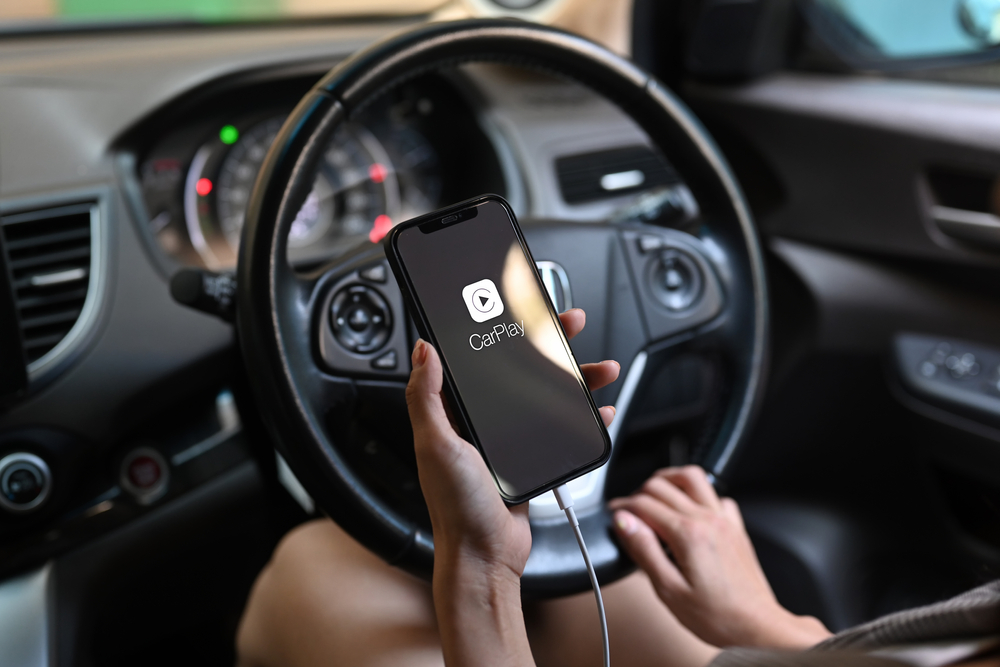
The modern dashboard has undergone a radical transformation. We’ve moved past the era of clunky proprietary GPS systems and CD changers into an age where our smartphones are the literal brains of our vehicles. At the centre of this revolution is Apple CarPlay and its counterpart, Android Auto. However, as you stand in a dealership or browse through aftermarket head units, you’re faced with a pivotal choice: Do you want to plug in every time you sit down, or do you want the system to spring to life automatically from your pocket?
This isn’t just a question of “to cord or not to cord.” It’s a decision that affects your phone’s battery health, your audio experience, and even your patience during a morning commute.
The Great Dashboard Debate: Wired vs. Wireless CarPlay
The debate regarding wired vs wireless CarPlay is often framed as a battle between old-school reliability and modern convenience. For the “purists,” the physical connection of a cable represents a gold standard of performance. For the “minimalists,” the cable is a relic of the past that litters an otherwise sleek interior.
In reality, the “better” system depends entirely on how you use your car. If you are a delivery driver hopping in and out of your vehicle forty times a day, a cable is your enemy. If you are a cross-country traveller who demands high-fidelity lossless audio and a full battery at the end of an eight-hour haul, that same cable is your best friend. To choose the right side, we first need to understand the invisible dance happening between your iPhone and your dashboard.
How Apple CarPlay Actually Works Behind the Scenes
Most people assume CarPlay is just a video mirror of their phone, but it’s actually a sophisticated “second screen” protocol. Your iPhone does all the heavy lifting, running the apps like Google Maps, processing the GPS data, handling phone calls, and streaming the music, while the car’s screen acts as a touch-sensitive external monitor.
The Wired Foundation: USB-A and USB-C
When you plug your iPhone into a CarPlay-enabled USB port, the handshake is instantaneous. The cable serves as a high-speed data highway. Because the bandwidth of a physical wire is so vast, the phone can send uncompressed video and high-bitrate audio simultaneously without breaking a sweat. It uses the “Lightning” or USB-C protocol to establish a secure, encrypted link that tells the car, “I’m in charge now.”
The Wireless Evolution: Bluetooth and Wi-Fi Handshakes
Wireless CarPlay is significantly more complex than standard Bluetooth audio. In fact, Bluetooth is only used for the “handshake”, the initial digital greeting that tells the phone and car to connect. Once they’ve acknowledged each other, the system automatically creates a private, high-speed Wi-Fi network between the phone and the head unit.
This is a crucial distinction: Wireless CarPlay does not stream over Bluetooth because Bluetooth doesn’t have the bandwidth to handle a high-resolution interface and the car’s infotainment system audio at the same time. This Wi-Fi link allows for much more data than Bluetooth, but as we’ll see, it still can’t quite match the raw throughput of a copper wire.
The Case for Wired CarPlay: Reliability and Quality
There is a reason why professional recording studios use cables instead of Wi-Fi. When it comes to moving data, physical connections are nearly impossible to beat. Wired Apple CarPlay remains the gold standard for drivers who prioritise sound quality and performance over the “cool factor.”
Uncompromised Audio Fidelity
If you’ve invested in a premium sound system, you are doing yourself a disservice by going wireless. Wired CarPlay supports higher audio bitrates. While the Wi-Fi connection used in wireless setups is good, it still applies more compression to the audio stream. On a wired connection, you get the full depth of your music, with crisper highs and more defined bass that isn’t muddied by the limitations of a wireless signal.
The “Always Charged” Advantage
The most practical benefit of the wire is the power. CarPlay is an intensive process for your iPhone; it’s running the screen, the GPS, and cellular data all at once. This burns through battery life rapidly. A wired connection ensures that even on the longest drives, you arrive at your destination with a 100% charge. You never have to worry about your phone dying mid-navigation in an unfamiliar city.
Zero Latency and Instant Responsiveness
Have you ever pressed “Next Track” and waited a second for the song to actually change? That’s latency. With a wired setup, that lag is virtually non-existent. The interface feels snappier, the maps scroll more fluidly, and your inputs are registered the moment your finger touches the glass. It’s a tactile, “one-to-one” experience that makes the technology feel like an integrated part of the car rather than an add-on.
Stability in Signal-Heavy Environments
Wireless signals are prone to interference. If you drive through an area with heavy electromagnetic activity, like an airport, a massive toll plaza, or a dense urban centre with thousands of competing Wi-Fi signals, a wireless CarPlay connection can stutter or drop entirely. A wired connection is shielded. It doesn’t care how many routers are nearby; it remains rock-solid regardless of your environment.
The Downsides of Staying Tethered
Despite its technical superiority, the wire isn’t perfect. It introduces a set of physical frustrations that can turn a high-tech car into a messy cockpit.
Cable Clutter and Aesthetic Compromise
Modern car interiors are designed with clean lines and premium materials. A frayed, white Lightning cable draped across the centre console ruins that aesthetic. No matter how neatly you tuck it away, a cable is a visual distraction and a physical obstacle, often getting tangled with gear shifters, cup holders, or your own limbs.
Wear and Tear on Physical Ports
Every time you plug and unplug your phone, you are putting a tiny amount of wear on your iPhone’s charging port and the car’s USB port. Over years of ownership, these ports can become loose or clogged with lint, leading to “finicky” connections where the slightest bump in the road disconnects your music.
The “Short Trip” Friction
The biggest drawback of wired CarPlay is the “annoyance factor” on short trips. If you’re just driving five minutes to the grocery store, the act of fishing your phone out of your pocket, finding the cable, and plugging it in feels like a chore. Often, drivers end up not using CarPlay at all for short hops because the setup time feels disproportionate to the drive time.
The Case for Wireless CarPlay: Convenience Above All
Wireless CarPlay is the ultimate expression of “it just works.” It removes the physical barrier between your digital life and your driving life, creating a seamless transition from your pocket to your dashboard.
The Seamless Entry Experience
Imagine walking to your car, starting the engine, and having your favourite playlist and your morning commute route appear on the screen before you’ve even buckled your seatbelt. Your phone stays in your pocket or purse. There is no fumbling, no plugging, and no “forgetting the phone in the car” because you never took it out in the first place.
A Minimalist, Cord-Free Interior
Without cables, your centre console remains a sanctuary of clean design. You can utilise your car’s storage bins and cup holders for their intended purposes rather than as a graveyard for tangled wires. For many, this psychological feeling of “clutter-free” space makes for a much more relaxing driving experience.
Flexibility for Passengers
In a wired setup, the “DJ” is usually whoever is plugged into the one specific CarPlay port. In a wireless setup, it is much easier to hand off control. While CarPlay generally prioritises the driver’s phone, the lack of a physical tether makes it easier for a passenger to interact with the phone’s UI without worrying about cord length or accidental disconnections.
The Hidden Costs of Wireless Connectivity
While it feels like magic, wireless CarPlay is demanding on your hardware. There are several “invisible” trade-offs that every user should be aware of before committing to a wireless-only lifestyle.
The Battery Drain Dilemma
As mentioned, CarPlay is a resource hog. When you run it wirelessly, your phone is essentially acting as a Wi-Fi router and a GPS unit simultaneously. This can drain an iPhone’s battery by 10% to 20% per hour, depending on the model. On a long road trip, a wireless setup can leave you with a dead phone by lunchtime unless you have another way to charge it.
Input Lag and Interface Latency
Even the best Wi-Fi connections have a slight delay. You may notice a half-second lag when skipping songs or a slight “floaty” feeling when dragging a map. While usually negligible, for users accustomed to the instant response of a modern iPad or iPhone, this can make the car’s head unit feel slightly outdated or “slow.”
Connection Drops and Interference Hotspots
The “Wi-Fi Handshake” isn’t invincible. Certain geographic locations are notorious for killing wireless CarPlay connections. Some users report “dead zones” at specific intersections or under certain power lines where the wireless signal is overpowered by external interference, causing the screen to freeze or the audio to cut out.
The Hardware Heat Issue
Processing high-speed data over Wi-Fi generates heat. If you use wireless CarPlay on a hot summer day while your phone is sitting in a sun-drenched cup holder, the phone can overheat. When an iPhone gets too hot, it throttles performance, dims the screen, and may eventually shut down entirely to protect the battery.
Head-to-Head Comparison: Which Wins in Reality?
To decide which is better, we have to look at the context of your life.
Audio Quality: Audiophiles vs. Podcast Listeners
If your playlist consists of high-resolution FLAC files or Tidal Hi-Fi, Wired is the only way to go. The difference in clarity is audible. However, if you primarily listen to podcasts, audiobooks, or Spotify (which is compressed anyway), you will likely never notice the difference in quality provided by Wireless.
Navigation Accuracy: Does It Matter?
In both setups, the GPS data is identical. However, Wired is technically more reliable because there is zero risk of the map “freezing” due to a momentary Wi-Fi drop. If you are navigating complex city interchanges where a one-second delay means missing a turn, the stability of a wire offers more peace of mind.
Daily Commute vs. Long-Distance Road Trips
For the 20-minute daily commute, Wireless is the undisputed king. The convenience outweighs all other factors. But for a 4-hour road trip, Wired is superior because it handles the charging and the heat management much more efficiently.
What to Look for in Your Next Vehicle or Head Unit
If you’re in the market for a new car or an aftermarket upgrade (like those from Alpine, Kenwood, or Sony), check the specs carefully.
Native Wireless Support vs. Aftermarket Dongles
Many newer cars now come with “Native” Wireless CarPlay built-in. This is usually the most stable experience. If your car only supports wired CarPlay, you can buy a “Wireless Dongle,” which is often marketed as a wireless CarPlay adapter. These are small USB sticks that plug into your car and trick it into thinking a phone is connected, while they actually connect to your phone via Wi-Fi. While these work, they often add an extra 5–10 seconds to the boot-up time and can occasionally be buggy, requiring frequent firmware updates to maintain stability.
The Role of Wireless Charging Pads
The “Holy Grail” of car interiors is the combination of Wireless CarPlay and a Wireless Charging Pad (Qi). This solves the battery drain issue while keeping the cabin cord-free. However, be warned: combining wireless charging with wireless CarPlay creates a massive amount of heat. Many built-in car chargers are poorly ventilated, which can lead to your phone overheating and stopping the charge.
Troubleshooting Common CarPlay Frustrations
Even the best systems act up. If you find your connection failing, here’s the quick-fix guide.
Fixing Connection Drops
- For Wired: 90% of the time, the cable is the culprit. Use an official Apple-certified (MFi) USB cable. Cheap gas-station cables often don’t have the data bandwidth required for CarPlay.
- For Wireless: Go to your iPhone’s settings, “Forget” the car in both Bluetooth and CarPlay settings, and re-pair from scratch. This clears out the digital “cobwebs.”
Managing Smartphone Overheating
If your phone is getting too hot during wireless use:
- Take it out of its case to allow better heat dissipation.
- Move it out of direct sunlight (put it in a shaded cubby).
- If you’re using a wireless charger, stop. Give the phone a break from the dual-heat source.
How We Researched and Tested the Connectivity Standards
To provide this guidance, we looked at real-world data from automotive engineers and long-term testing across various vehicle makes, from budget-friendly Kias to luxury BMWs. We compared latency using high-speed cameras to measure the gap between a touch input and a screen reaction. We also analysed frequency interference reports to identify why wireless systems fail in specific urban environments. Our conclusion is based on the marriage of technical specs and the messy reality of daily driving.
The Verdict: Which Setup Should You Choose?
So, which one is actually better?
Choose Wireless CarPlay if: You value convenience above all else, your commute is short, and you hate the sight of cables. It is the future of the automotive interface, and for most people, the minor trade-offs in audio quality and battery drain are well worth the freedom.
Choose Wired CarPlay if: You are an audiophile, a long-haul driver, or someone who works from their car. The reliability, charging speed, and “instant” feel of a wired connection remain unmatched for power users.
The best part? Almost every car that supports Wireless CarPlay also supports a wired connection. You don’t have to pick a side forever. Use the wireless mode for your daily errands, and keep a high-quality cable in the centre console for those long weekend adventures. In the end, the best system is the one that stays out of your way and lets you focus on the road ahead.
Ready to upgrade your drive with seamless Apple CarPlay or Android Auto? Explore Seven Smart Auto’s CarPlay and Android Auto installation options and find a setup that suits your vehicle, driving habits, and preferred wired or wireless experience.