



You climb into your car, fire up the engine, and then… sigh. That small, pixelated screen stares back, mocking your desire for modern convenience. The navigation is clunky, connecting your phone is a multi-step chore, and Bluetooth drops more often than a bad habit. It’s not just a screen; it’s a window into an older era, one where cars were less connected, less intuitive. You’re not alone. Many drivers today feel their car’s built-in tech is the weakest link in an otherwise perfectly good vehicle. But here’s the good news: you absolutely can upgrade your car’s infotainment system. It’s not just for brand-new cars with all the bells and whistles. With a little guidance, you can transform your driving experience from frustratingly analogue to delightfully digital.
Why Upgrade Your Infotainment System?
Think of your car’s infotainment system as its brain and analogue nervous system. An upgrade isn’t merely about slapping in a bigger display; it’s about enhancing functionality, safety, and enjoyment in ways you might not have even considered. It’s about bringing your car into the 21st century, making every drive more pleasurable and less stressful.
Enhanced Navigation
Remember the days of fumbling with paper maps or squinting at a tiny, outdated GPS screen? Modern navigation goes far beyond. Integrated navigation systems in 2026 have been shown to improve route efficiency by up to 20%, offering real-time traffic updates and intuitive voice commands. It’s the difference between guessing your way through rush hour and confidently gliding past congestion, guided by a system that knows the roads better than you do.
Seamless Smartphone Integration (Apple CarPlay/Android Auto)
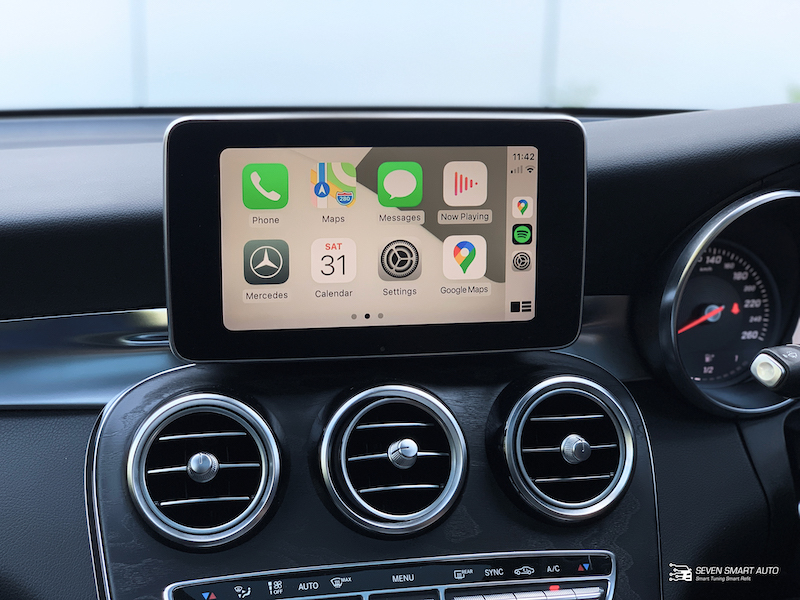
This is often the primary driver for an upgrade, and for good reason. Apple CarPlay and Android Auto aren’t just mirroring your phone; they’re creating a streamlined, car-safe interface for your essential apps. Think instant access to your music library, podcasts, messaging, and navigation apps like Google Maps or Waze, all controlled safely through your car’s screen or voice commands. No more fumbling with your phone; just pure, uninterrupted connectivity.
Improved Audio Quality and Features
An outdated head unit can bottleneck even a decent set of speakers. Many aftermarket systems come with more powerful built-in amplifiers, advanced digital signal processing (DSP), and a broader range of audio adjustments like detailed equalisers. This means clearer highs, punchier bass, and a more immersive soundstage. Plus, you often gain access to more diverse audio sources beyond just radio, satellite radio, and a single AUX input, like high-resolution audio file support.
Safety and Convenience Additions
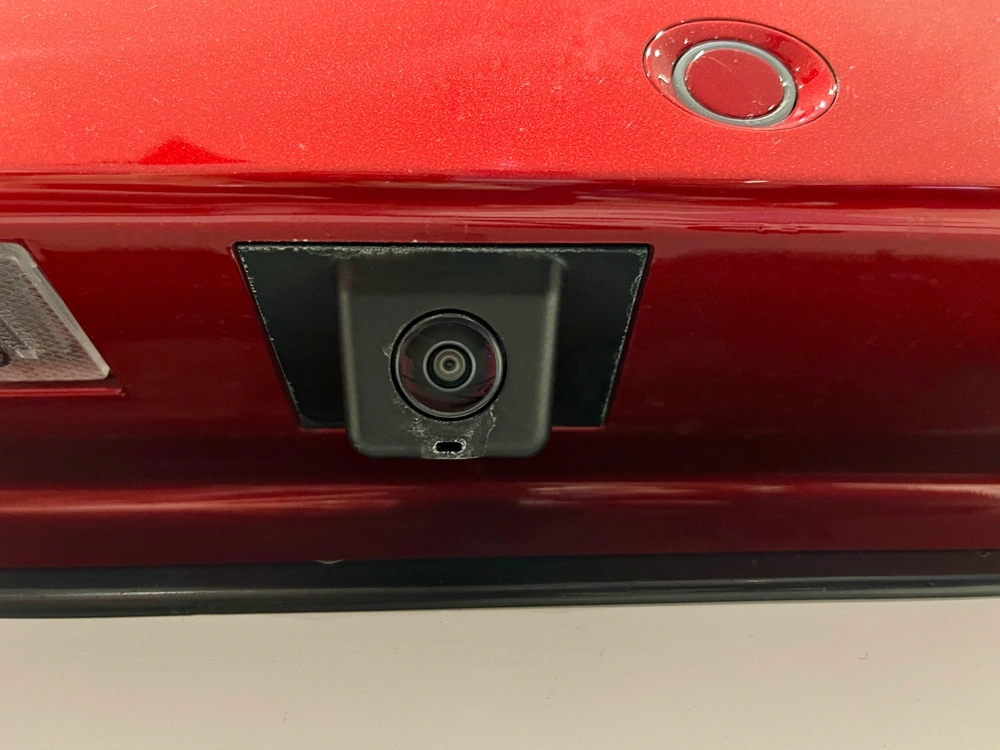
Beyond the obvious, an upgrade can unlock a host of safety and convenience features, such as blind spot monitoring integration. Want to add a rear-view camera to your older car? Many new head units are designed to integrate seamlessly. How about a front parking camera or even a dash cam that records directly to the unit? Many systems also offer better integration with steering wheel controls, clearer Bluetooth calling, and even diagnostic information about your vehicle. It’s about making your car smarter and safer.
The Spectrum of Upgrades: From Simple Tweaks to Full Overhauls
Upgrading your infotainment system isn’t a one-size-fits-all proposition. The right solution depends on your car, your budget, and your desired outcome. It can range from a minor software tweak to a complete rip-and-replace, each with its own advantages and considerations. Let’s explore the main avenues available to you.
Option 1: Aftermarket Head Units
When most people think of upgrading their car’s stereo, this is what comes to mind. Aftermarket head units offer the broadest range of features, price points, and customisation.
What is an Aftermarket Head Unit?
An aftermarket head unit is essentially a replacement for your car’s factory-installed stereo receiver. It’s the central command centre for your audio, navigation, and other media functions. These units are designed to be universally adaptable, fitting into standard “DIN” (single or double) openings found in most cars.
Types of Aftermarket Head Units
- Single DIN: These are the traditional, smaller rectangular units, often resembling older car stereos. Many single DIN units now feature flip-out touchscreens that deploy when needed, offering a modern interface in a compact form factor.
- Double DIN: These are twice the height of a single DIN unit and are designed to accommodate larger, integrated touchscreens. They offer a more seamless, factory-like appearance once installed, as the screen is fixed and flush with the dash.
- Floating Screen: A newer trend, these units have a single DIN chassis that fits into the dash, but the touchscreen display “floats” in front of the dash on an adjustable mount. This allows for very large screens (often 9-10 inches or more) even in vehicles with limited dash space.
Key Features to Look For in Aftermarket Units
- Apple CarPlay/Android Auto: Absolutely essential for modern smartphone integration. Look for wired or, even better, wireless versions.
- Bluetooth Connectivity: For hands-free calling and audio streaming.
- High-Resolution Touchscreen: Capacitive screens (like on your smartphone) offer a much better user experience than resistive ones.
- USB and AUX Inputs: For connecting various devices and charging.
- Preamp Outputs: Crucial if you plan to add external amplifiers for speakers or subwoofers.
- Built-in Navigation: Some units include their own GPS mapping, though smartphone integration often makes this redundant.
- DSP (Digital Signal Processing): For fine-tuning audio and sound staging.
- Camera Inputs: For reverse cameras, front cameras, or even dash cams.
- Steering Wheel Control Compatibility: Allows you to retain existing steering wheel buttons with an adapter.
Pros of Aftermarket Head Units
- Vast Feature Set: Typically offers far more features and capabilities than most stock units.
- Superior Sound Quality: Often comes with better internal amplifiers and advanced audio processing.
- Latest Technology: Quick access to new features like wireless CarPlay/Android Auto.
- Customisation: Huge range of brands, styles, and price points to match your preferences and budget.
- Universal Fit: Designed to fit a wide array of vehicles, often just requiring a dash kit.
Cons of Aftermarket Head Units
- Can Look “Aftermarket”: Unless carefully chosen and installed, they might not blend seamlessly with your car’s interior design.
- Loss of Some Factory Functions: Some niche factory features (like specific vehicle settings or displays) might be lost or require additional adapters to retain.
- Wiring Complexity: Installation can be more involved, especially if retaining steering wheel controls or integrating with existing amplifiers.
- Cost: While entry-level options are affordable, feature-rich units can be a significant investment.
Option 2: OEM-Style Upgrades
For those who prioritise a factory-fresh aesthetic but still want modern functionality, OEM-style upgrades hit a sweet spot.
What are OEM-Style Upgrades?
OEM-style (Original Equipment Manufacturer) upgrades are aftermarket units specifically designed to look and feel like they came from the factory. They often mimic the exact dimensions, button layout, and even the colour scheme of your car’s original head unit, but pack in modern features like large touchscreens, CarPlay, and Android Auto.
Common Examples (e.g., Tesla-style screens for specific car models)
A prominent example of this trend is the “Tesla-style” screen, which is a large, vertical touchscreen custom-moulded to fit specific car models. These replace the entire centre console fascia, giving an older car a dramatically modern and integrated look. Other OEM-style units might be more subtle, perfectly matching the contours of your dash and retaining factory buttons while upgrading the display and internal tech. Brands like Alpine (with their Restyle line) and various lesser-known manufacturers specialise in these custom-fit solutions.
Pros of OEM-Style Upgrades
- Factory Appearance: The biggest draw is that they look like they belong, seamlessly blending with your car’s interior.
- Retain Factory Controls: Many are designed to integrate perfectly with existing steering wheel controls, climate controls, and even factory cameras.
- No Cutting or Fabrication: Often plug-and-play with specific vehicle wiring harnesses.
- Large Screens: Can offer much larger displays than traditional aftermarket units while maintaining an integrated look.
Cons of OEM-Style Upgrades
- Limited Availability: Only produced for popular car models; your specific vehicle might not have an option.
- Higher Cost: Due to their custom design and specialised manufacturing, they can be more expensive than generic aftermarket units.
- Software Quality Varies: Some brands (especially lesser-known ones) may have less refined software interfaces or slower performance compared to major aftermarket brands.
- Proprietary Nature: Updates or troubleshooting might be more challenging due to their specialised design.
Option 3: Integration Modules
Sometimes, you don’t need a whole new head unit. If your car already has a decent screen but lacks modern connectivity, an integration module might be your best friend.
What are Integration Modules?
Integration modules are small electronic devices that connect to your car’s existing infotainment system, essentially “piggybacking” onto it to add new functionality. They often use your car’s existing screen and controls, but overlay new features.
Common Uses (e.g., adding CarPlay/Android Auto to an existing screen)
The most popular use case for these modules is adding Apple CarPlay and Android Auto functionality to factory screens that don’t originally support it. Many premium vehicles from the mid-2010s have large, high-resolution screens, but were produced before CarPlay/Android Auto became standard. These modules often tap into the video input of your existing screen and use your car’s original controls (e.g., iDrive knob, MMI controller) to navigate the new interface. Other modules might add video inputs for cameras, unlock DVD playback while driving (where legal), or even provide media streaming capabilities.
Pros of Integration Modules
- Retain Factory Look and Feel: You keep your original screen, buttons, and overall interior design.
- Cost-Effective for Specific Needs: Often cheaper than a full head unit replacement, especially if you only want CarPlay/Android Auto.
- Non-Destructive Installation: Generally involves tapping into existing wiring rather than cutting or modifying the dash.
- Preserves Factory Features: Since the original system remains, all factory functions are typically retained.
Cons of Integration Modules
- Doesn’t Improve Core System: The underlying audio quality or screen resolution of your factory unit won’t change.
- Can Be Clunky: The interface might not be as smooth or responsive as a dedicated aftermarket unit, as it’s often layered on top of the existing system.
- Installation Can Be Tricky: Often requires disassembling parts of the dash and carefully tapping into specific wires.
- Limited Functionality: Primarily focused on adding one or two specific features, not a complete overhaul.
- Vehicle Specific: These modules are highly specific to car makes, models, and even years.
Option 4: Software Updates and Dealer Upgrades
Before you open your wallet for hardware, consider whether a simple software refresh could solve your problems.
For Newer Vehicles: Over-the-Air (OTA) Updates
If you have a modern car (typically 2018 or newer), it might be equipped for Over-the-Air (OTA) updates. Just like your smartphone, these allow the manufacturer to push software updates directly to your car’s infotainment system via a cellular or Wi-Fi connection. These updates can fix bugs, improve performance, add new features, or even enable functionality like wireless CarPlay that was previously only wired. Always check your car’s settings or your manufacturer’s website for available updates.
Dealer-Specific Infotainment Upgrades
Some car manufacturers offer official, dealer-installed upgrades for their older models. This isn’t as common as full replacement, but it does exist. For instance, some BMW models that came with NBT iDrive systems could be officially upgraded to NBT Evo, unlocking CarPlay. Similarly, some Ford vehicles could get official Sync 3 upgrades. These are usually proprietary and installed by the dealer.
Pros and Cons
Pros:
- Maintain Warranty: Official updates and dealer upgrades won’t void your car’s warranty.
- Guaranteed Compatibility: Designed specifically for your vehicle, ensuring perfect integration.
- Cost-Effective (for OTA): OTA updates are usually free and require no effort.
- Preserve Originality: Your car remains 100% factory original.
Cons:
- Limited Availability: Not all cars offer OTA updates or dealer upgrade paths.
- Less Impactful: Software updates generally improve existing features; they won’t add entirely new hardware capabilities like a larger screen.
- Dealer Upgrades Can Be Pricey: When available, official dealer hardware upgrades can be more expensive than aftermarket alternatives.
- Reliance on Manufacturer: You’re at the mercy of the car maker’s update schedule and offerings.
The Installation Journey: DIY vs. Professional
Once you’ve decided on an upgrade path, the next step is installation. This can be a daunting prospect, but understanding your options helps.
DIY Installation: What You’ll Need and When to Consider It
DIY installation is feasible for those with a bit of technical aptitude, patience, and the right tools. For a basic aftermarket head unit, you’ll typically need:
- Basic Hand Tools: Screwdrivers, trim panel removal tools (plastic pry tools are a must to avoid damaging your dash), wire strippers, and crimpers.
- Wiring Harness Adapter: This is crucial. It plugs into your car’s factory wiring and then into the new head unit, often without cutting any factory wires.
- Dash Kit (Mounting Kit/Fascia Adapter): Fills the gap between your new head unit and your car’s dash opening, making it look flush.
- Antenna Adapter: If your new head unit has a different antenna connection than your car.
- Steering Wheel Control Interface (if desired): A separate module that translates your car’s steering wheel button signals for the new head unit.
When to consider DIY: If you’re comfortable watching detailed YouTube tutorials, have basic wiring knowledge, and your chosen upgrade is a straightforward head unit replacement (especially with good quality plug-and-play adapters).
Professional Installation: When It’s Worth the Investment
For anything beyond the simplest head unit swap, or if you’re not confident in your skills, professional audio installation is a wise investment.
When it’s worth the investment:
- Complex Wiring: If your car has a factory amplifier, a fibre optic system (like MOST bus), or requires intricate integration with vehicle-specific features.
- OEM-Style Units: These often involve more extensive dash disassembly and reassembly.
- Integration Modules: Tapping into existing wiring can be delicate and requires a precise understanding of your car’s electrical system.
- Retaining Advanced Factory Features: If you need to ensure every single factory function is preserved and seamlessly integrated.
- Time and Peace of Mind: If you simply don’t have the time or patience, or you want the assurance that the job is done correctly and comes with a warranty.
A good professional installer will ensure clean wiring, proper mounting, and correct integration with all your car’s systems. It might cost more upfront, but it can save you headaches and potential damage down the road.
Budgeting for Your Infotainment Upgrade
Like any significant car modification, budgeting is key. Costs can vary wildly depending on the path you choose and the features you desire.
Head Unit Costs
- Entry-Level Aftermarket (Basic Bluetooth/USB): $100 – $250
- Mid-Range Aftermarket (CarPlay/Android Auto, touchscreen): $300 – $600
- High-End Aftermarket (Wireless CarPlay, advanced audio, larger screen): $700 – $1500+
- OEM-Style Specific Units: $500 – $1500+ (highly dependent on vehicle and features)
Installation Costs
- DIY: Primarily the cost of tools ($50-$150) and adapters ($50-$200).
- Professional (Basic Head Unit): $100 – $300
- Professional (Complex Aftermarket/OEM-Style/Integration Module): $300 – $800+ (can be higher for very intricate jobs or luxury vehicles)
Additional Components (Cameras, Amplifiers, Speakers)
Don’t forget the extras!
- Backup Camera: $30 – $150 (for the camera itself)
- Front Camera: $20 – $100
- Dash Cam (integrated): $50 – $250
- External Amplifier: $150 – $800+
- Component Speakers: $100 – $500+ per pair
- Subwoofer: $100 – $600+
It’s easy for costs to add up, so have a clear list of what you want and prioritise.
Before You Buy: Crucial Considerations
A successful upgrade isn’t just about picking a cool head unit; it’s about making sure it plays nicely with your specific vehicle.
Compatibility with Your Vehicle
This is non-negotiable. Not every head unit fits every car. Use online vehicle fitment guides (Crutchfield is an excellent resource) to determine what will work. Pay attention to your car’s make, model, year, and trim level, as these can all affect compatibility.
Maintaining Steering Wheel Controls
Most modern cars have audio controls on the steering wheel. If you want to keep using them (and you should!), you’ll need a specific interface module. These typically cost $50-$150 and require proper wiring. Ensure your chosen head unit is compatible with these modules.
Retaining Factory Features (e.g., climate control integration)
This is where it gets tricky, especially with newer vehicles. Some cars integrate climate controls, vehicle settings, park assist displays, or even door chime alerts through the factory infotainment screen. A generic aftermarket head unit might lose these functions. OEM-style units or advanced integration modules are often designed specifically to retain these, but always double-check before purchasing. If your factory screen displays critical vehicle information, be very cautious about full replacement.
Future-Proofing Your Investment
Technology moves fast. Consider features that will remain relevant for years to come. Wireless Apple CarPlay/Android Auto is a good example. Expandability, like extra USB ports, camera inputs, and robust pre-outs for future audio upgrades, can also save you money down the line. A unit with good software update potential from the manufacturer is also a plus.
Bringing Your Car Into the Modern Age: A Final Thought
Upgrading your car’s infotainment system is more than just a tech project; it’s an investment in your daily driving experience. Imagine the ease of having real-time navigation and your favourite music just a voice command away, without ever looking down at your phone. Picture the peace of mind with a clear backup camera, or the joy of crystal-clear audio on your commute.
Whether you opt for a full aftermarket overhaul, a sleek OEM-style replacement, or a clever integration module, the path to a smarter, more connected drive is well within reach. Do your research, understand your options, and don’t be afraid to ask for professional help if needed. Your car and your driving pleasure will thank you for it.
Visit Seven Smart Auto to explore expert infotainment upgrades, Apple CarPlay installations, and custom solutions tailored to your vehicle.