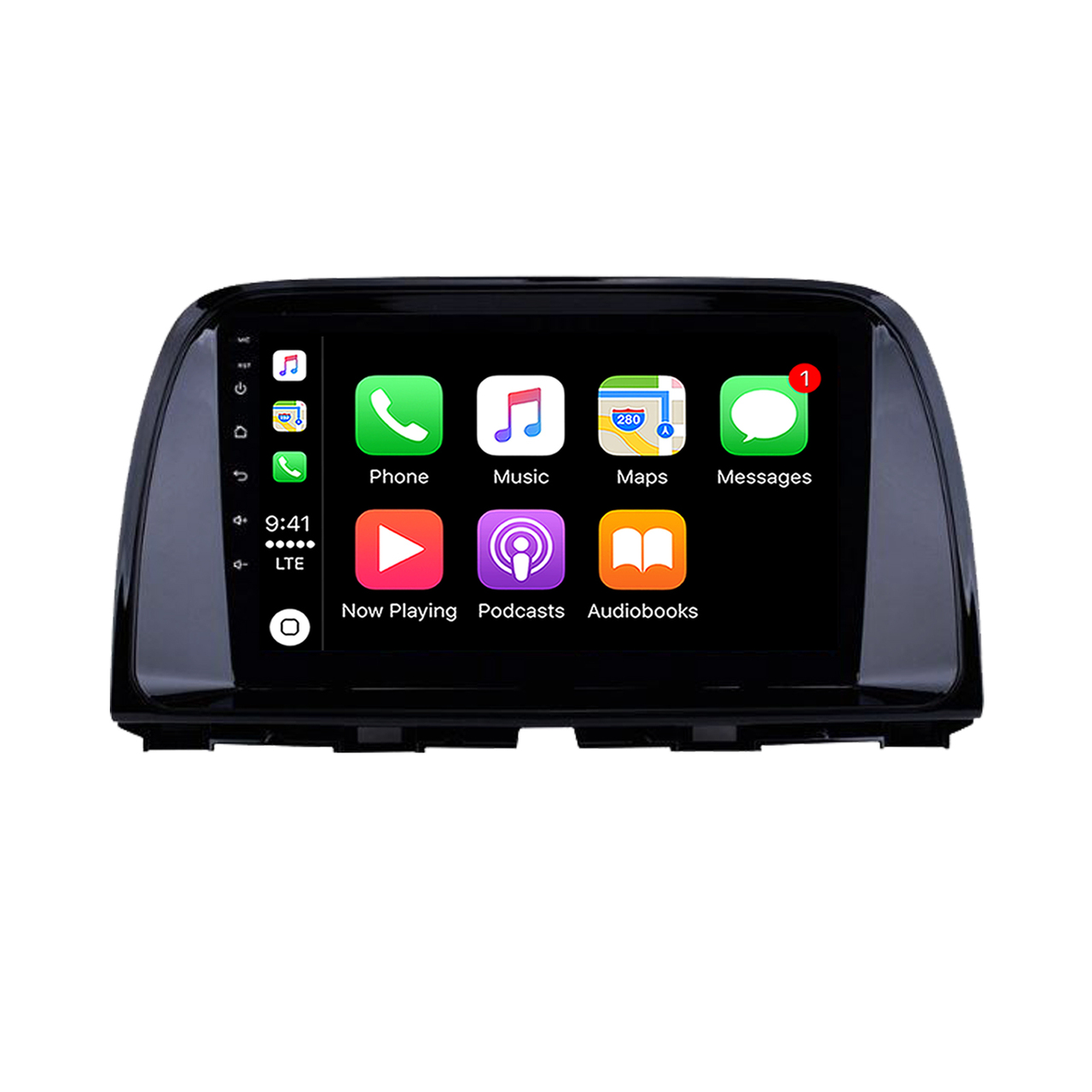






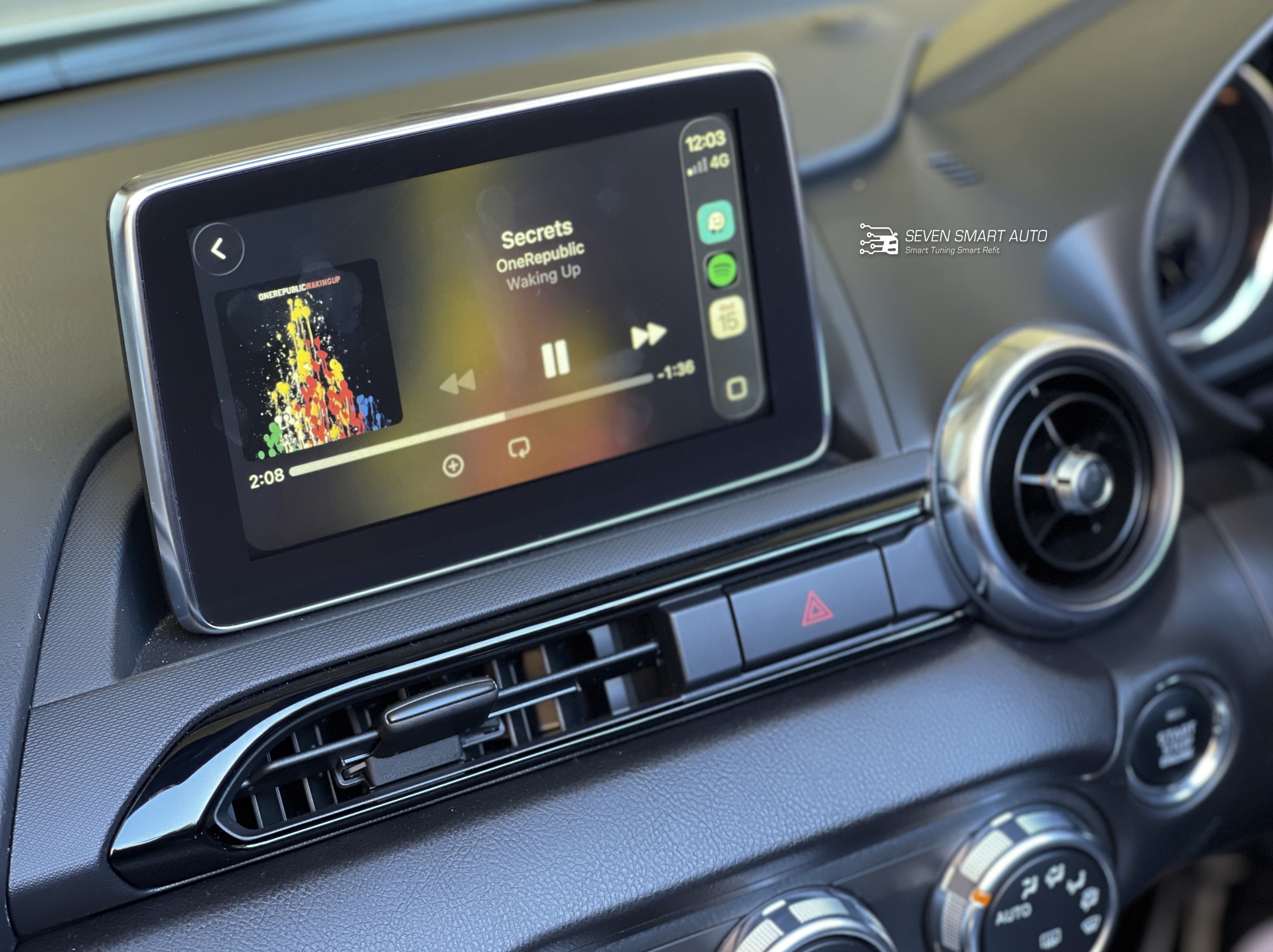




Bring Apple CarPlay and Android Auto to your compatible factory MZD Connect system with a genuine Mazda OEM USB hub and harness. Keep your original display, Commander controller and factory look while accessing navigation, calls, messages and music from your compatible phone.
Check compatibility or get a fitting quote
Tell us your Mazda model and year. You can attach a photo of your current dashboard or screen.
Choose Your Upgrade Package
All prices below are in Australian dollars and include GST. Select your package above before adding to cart.
- DIY Kit — $250 incl. GST: Genuine OEM USB hub, harness and installation guide. Supply only; fitting and firmware updating are not included.
- USB Hub Supply & Fit — $349 incl. GST: Genuine OEM hub and harness, professional installation and testing. Your vehicle must already have compatible CarPlay-ready firmware. Firmware updating is not included. Allow approximately 30 minutes.
- Complete Upgrade — $399 incl. GST: Genuine OEM hub, harness, firmware update, installation and testing. Our update service requires starting firmware 59.00.xxx or above. Allow approximately 90 minutes.
Installation is at our Lidcombe NSW workshop by appointment. Contact us to confirm your vehicle and arrange a time. Times are Seven Smart Auto estimates and may vary with vehicle condition and update requirements. Delivery charges for supply-only orders, where applicable, are shown at checkout.
Vehicle Compatibility: Check MZD Connect First
Mazda Australia identifies MZD Connect, introduced locally in early 2014, as the basis for its hardware and software retrofit. Year alone does not confirm fitment. Trim, build date, original infotainment system and current firmware must be checked.
Our existing model guide includes Mazda 2 (DJ/DL), Mazda 3 (BM/BN), Mazda 6 (GJ/GL), CX-3 (DK), CX-5 (KE/KF), CX-8, CX-9 (TC) and MX-5 (ND), only where equipped with compatible MZD Connect. Early examples and later models with a different Mazda Connect generation need individual confirmation. This is not a blanket 2014–2019 compatibility promise. Model-year ranges printed in existing product images are indicative only and do not replace an individual MZD Connect and build-date fitment check.
Before ordering, send us your model, build year and photos of the factory screen, USB hub and full OS version. Mazda Australia: Apple CarPlay & Android Auto retrofit information.
Additional Compatible Vehicles – Fiat / Abarth 124 Spider
- Fiat 124 Spider (2016–2020) — selected models equipped with the factory 7-inch Fiat Connect infotainment system.
- Abarth 124 Spider (2016–2020) — selected models equipped with the factory 7-inch Fiat Connect infotainment system.
Seven Smart Auto has successfully completed a CarPlay retrofit on an Abarth 124 Spider using compatible Mazda-based infotainment hardware.
Fiat and Abarth 124 Spider vehicles require additional firmware and hardware compatibility checks before installation. Compatibility is subject to the vehicle’s original infotainment configuration and software version.
Similar infotainment hardware does not mean identical factory software or an identical update procedure. The Mazda 59.00.xxx starting-version requirement and standard Mazda firmware process must not be assumed to apply to Fiat or Abarth. Before booking, our technicians must check the original software version, screen and CMU hardware configuration, and confirm any special firmware handling. Retention of original functions must be assessed and tested on the individual configuration.
Fiat / Abarth 124 Spider: Compatibility and installation pricing must be confirmed before booking. The standard Mazda packages shown on this page are not an automatic price or compatibility offer for Fiat / Abarth vehicles. Please contact Seven Smart Auto for assessment before ordering.
Firmware: Starting Version vs CarPlay-ready Version
Before our firmware update service: The existing system must be 59.00.xxx or above. This is Seven Smart Auto’s service eligibility requirement, not the version that enables CarPlay. If yours is below 59.00.xxx, contact us for assessment before purchasing an installation package.
Before the new hub is fitted: The system must have compatible 70.00.xxx CarPlay-ready firmware. Firmware must be updated first where required, then the hub and harness fitted. The exact release and region must match the vehicle; a version number alone does not establish compatibility. Existing compatible later releases must also be checked.
The DIY Kit and $349 package require compatible firmware already in place. Choose Complete Upgrade if an eligible vehicle also needs the update.

How to Check Your Mazda Firmware Version
Product Demonstration Videos
Mazda 3 Demo
Mazda CX-5 Demo
Factory Integration
- Genuine OEM USB hub components retain the original screen and factory appearance.
- Apple CarPlay and Android Auto integration with compatible MZD Connect.
- Use supported phone apps with Siri or Google Assistant and factory controls.
- Retains existing factory features, including the reverse camera where fitted, subject to vehicle compatibility.
- USB hub supports phone charging and data connection.
Connection and Wireless Options
This listing is for the OEM USB hub retrofit. The documented Mazda MZD Connect setup uses a USB cable to connect your compatible phone. Wireless operation is not included as a guaranteed feature of these packages. Contact us to confirm any wireless arrangement and whether additional hardware is required before ordering.
Our separate Mazda Wireless Interface product is a different upgrade solution. Its hardware, compatibility and inclusions must be assessed separately; it should not be confused with this genuine OEM USB hub package.
Installation Notes
- Compatible firmware must be in place before fitting the replacement hub.
- Panel removal is required. Follow the correct instructions for your vehicle and firmware package; do not interrupt power during updating.
- With the vehicle switched off, remove the navigation SD card before the retrofit. Reinsert it only with the vehicle switched off after completion, then check navigation operation.
- Professional installation includes connection and function testing with a compatible phone.
Independent Installation Service
Seven Smart Auto is an independent automotive electronics specialist and is not affiliated with, endorsed by, or authorised by Mazda Australia.
We use genuine Mazda OEM USB hub components for eligible MZD Connect retrofits. All installation and firmware update services are provided independently by Seven Smart Auto.
Frequently Asked Questions
Which package should I choose?
Choose DIY Kit for supply only, USB Hub Supply & Fit if compatible firmware is already installed, or Complete Upgrade if an eligible vehicle also needs firmware updating. Ask us to check your full OS version if unsure.
Does 59.00.xxx mean my car is ready for the new USB hub?
No. It meets our minimum starting version for the update service. Compatible 70.00.xxx CarPlay-ready software must be installed before fitting the hub.
Does every Mazda from 2014 onwards fit?
No. The vehicle must have compatible MZD Connect. Build date, trim and infotainment generation matter. Please confirm fitment before ordering.
Will I keep my original screen and reverse camera?
The retrofit keeps the factory display and controls. Existing camera and other factory functions are checked on the individual vehicle during installation.
Is this wireless CarPlay or Android Auto?
USB cable connection is the documented OEM setup. Wireless is not a guaranteed inclusion; ask us to verify the required hardware and configuration. The separate Mazda Wireless Interface is a different product.
How long does installation take?
Allow approximately 30 minutes for supply and fitting with compatible firmware, or 90 minutes for Complete Upgrade. These are workshop estimates; confirm your appointment with us.
Local Installation and Support
- Sydney-based support from Seven Smart Auto.
- Professional installation at our Lidcombe NSW workshop.
- Lifetime Installation Warranty on our installation workmanship; product warranty and other terms remain subject to our published policies.
Specifications
- Product: Genuine Mazda OEM USB hub retrofit with harness for compatible MZD Connect.
- Packages (AUD incl. GST): DIY Kit $250; USB Hub Supply & Fit $349; Complete Upgrade $399.
- System: Compatible factory MZD Connect; confirm vehicle, build date and full OS version before ordering.
- Update service starting version: 59.00.xxx or above (Seven Smart Auto service requirement).
- Before hub installation: Compatible 70.00.xxx CarPlay-ready firmware; correct region and release required. Compatible later releases require confirmation.
- Connection: Documented OEM USB cable setup. Wireless operation is not a guaranteed package inclusion.
- Installation: Approximately 30 minutes with compatible firmware; approximately 90 minutes including firmware update. Workshop appointment required.
- Retained equipment: Original screen and controls; existing camera and other functions subject to vehicle compatibility and testing.
Mazda CarPlay Upgrade: Independent Installation
Complete Upgrade — A$650 incl. GST already includes the genuine OEM USB hub, harness, firmware update, professional installation and testing. Installation and firmware updating are independently provided by Seven Smart Auto. No separate standard installation fee is added for the work included in this package. Allow approximately 90 minutes.
USB Hub Supply & Fit — A$499 incl. GST includes the genuine OEM USB hub, harness, installation and testing when compatible firmware is already installed. Firmware updating is excluded. Allow approximately 30 minutes.
DIY Kit — A$250 incl. GST is supply only. Installation and firmware updating are excluded.
For eligible Mazda vehicles, our firmware update service requires a starting version of 59.00.xxx or above. Compatible 70.00.xxx CarPlay-ready firmware must be in place before the new hub is fitted. Confirm vehicle and firmware compatibility before ordering. Fiat / Abarth 124 Spider vehicles require separate software, screen and CMU hardware checks; the Mazda firmware requirements and package prices must not be assumed to apply. Compatibility and installation pricing must be confirmed before booking.
Installation is by appointment at Seven Smart Auto, Unit 25 / 2 Railway Parade, Lidcombe NSW 2141. Times are estimates and depend on the vehicle. Select your package on this product page, then contact us to arrange installation or call 0452 471 690.
Return
For eligible change-of-mind returns, contact Seven Smart Auto within 7 calendar days after receiving or collecting the product. You must obtain return authorisation before sending or bringing back a product.
Eligible products must be unused, uninstalled, undamaged, complete and in as-new resaleable condition, with original packaging, accessories and documentation. Installed or used products are generally not eligible for change-of-mind return. Special-order, pre-order, backorder, custom-sourced and vehicle-specific products are generally not eligible once procurement, manufacture, customisation, coding or allocation has commenced.
Change-of-mind cancellations may incur a $20 AUD processing fee once manual processing has commenced, plus actual non-refundable third-party payment processing costs. Return postage, original or actual outbound freight, and reasonable handling or restocking fees may apply as set out in our policy.
Nothing in this summary limits your rights under the Australian Consumer Law. Please read our full Return & Refund Policy for eligibility, exclusions, fees and refund terms.
Delivery
4-7 business days for delivery to metro locations. 7-10 business days to regional locations including WA, QLD, and NT.
Click & Collect
Free pick up in-store. You will receive an email from us when it’s ready to collect. (Available in Sydney only)
No Responses



Quality Guarantee
Buy Now Pay Later

Installation Support
Bring Apple CarPlay and Android Auto to your compatible factory MZD Connect system with a genuine Mazda OEM USB hub and harness. Keep your original display, Commander controller and factory look while accessing navigation, calls, messages and music from your compatible phone.
Check compatibility or get a fitting quote
Tell us your Mazda model and year. You can attach a photo of your current dashboard or screen.
Choose Your Upgrade Package
All prices below are in Australian dollars and include GST. Select your package above before adding to cart.
- DIY Kit — $250 incl. GST: Genuine OEM USB hub, harness and installation guide. Supply only; fitting and firmware updating are not included.
- USB Hub Supply & Fit — $349 incl. GST: Genuine OEM hub and harness, professional installation and testing. Your vehicle must already have compatible CarPlay-ready firmware. Firmware updating is not included. Allow approximately 30 minutes.
- Complete Upgrade — $399 incl. GST: Genuine OEM hub, harness, firmware update, installation and testing. Our update service requires starting firmware 59.00.xxx or above. Allow approximately 90 minutes.
Installation is at our Lidcombe NSW workshop by appointment. Contact us to confirm your vehicle and arrange a time. Times are Seven Smart Auto estimates and may vary with vehicle condition and update requirements. Delivery charges for supply-only orders, where applicable, are shown at checkout.
Vehicle Compatibility: Check MZD Connect First
Mazda Australia identifies MZD Connect, introduced locally in early 2014, as the basis for its hardware and software retrofit. Year alone does not confirm fitment. Trim, build date, original infotainment system and current firmware must be checked.
Our existing model guide includes Mazda 2 (DJ/DL), Mazda 3 (BM/BN), Mazda 6 (GJ/GL), CX-3 (DK), CX-5 (KE/KF), CX-8, CX-9 (TC) and MX-5 (ND), only where equipped with compatible MZD Connect. Early examples and later models with a different Mazda Connect generation need individual confirmation. This is not a blanket 2014–2019 compatibility promise. Model-year ranges printed in existing product images are indicative only and do not replace an individual MZD Connect and build-date fitment check.
Before ordering, send us your model, build year and photos of the factory screen, USB hub and full OS version. Mazda Australia: Apple CarPlay & Android Auto retrofit information.
Additional Compatible Vehicles – Fiat / Abarth 124 Spider
- Fiat 124 Spider (2016–2020) — selected models equipped with the factory 7-inch Fiat Connect infotainment system.
- Abarth 124 Spider (2016–2020) — selected models equipped with the factory 7-inch Fiat Connect infotainment system.
Seven Smart Auto has successfully completed a CarPlay retrofit on an Abarth 124 Spider using compatible Mazda-based infotainment hardware.
Fiat and Abarth 124 Spider vehicles require additional firmware and hardware compatibility checks before installation. Compatibility is subject to the vehicle’s original infotainment configuration and software version.
Similar infotainment hardware does not mean identical factory software or an identical update procedure. The Mazda 59.00.xxx starting-version requirement and standard Mazda firmware process must not be assumed to apply to Fiat or Abarth. Before booking, our technicians must check the original software version, screen and CMU hardware configuration, and confirm any special firmware handling. Retention of original functions must be assessed and tested on the individual configuration.
Fiat / Abarth 124 Spider: Compatibility and installation pricing must be confirmed before booking. The standard Mazda packages shown on this page are not an automatic price or compatibility offer for Fiat / Abarth vehicles. Please contact Seven Smart Auto for assessment before ordering.
Firmware: Starting Version vs CarPlay-ready Version
Before our firmware update service: The existing system must be 59.00.xxx or above. This is Seven Smart Auto’s service eligibility requirement, not the version that enables CarPlay. If yours is below 59.00.xxx, contact us for assessment before purchasing an installation package.
Before the new hub is fitted: The system must have compatible 70.00.xxx CarPlay-ready firmware. Firmware must be updated first where required, then the hub and harness fitted. The exact release and region must match the vehicle; a version number alone does not establish compatibility. Existing compatible later releases must also be checked.
The DIY Kit and $349 package require compatible firmware already in place. Choose Complete Upgrade if an eligible vehicle also needs the update.
How to Check Your Mazda Firmware Version
Product Demonstration Videos
Mazda 3 Demo
Mazda CX-5 Demo
Factory Integration
- Genuine OEM USB hub components retain the original screen and factory appearance.
- Apple CarPlay and Android Auto integration with compatible MZD Connect.
- Use supported phone apps with Siri or Google Assistant and factory controls.
- Retains existing factory features, including the reverse camera where fitted, subject to vehicle compatibility.
- USB hub supports phone charging and data connection.
Connection and Wireless Options
This listing is for the OEM USB hub retrofit. The documented Mazda MZD Connect setup uses a USB cable to connect your compatible phone. Wireless operation is not included as a guaranteed feature of these packages. Contact us to confirm any wireless arrangement and whether additional hardware is required before ordering.
Our separate Mazda Wireless Interface product is a different upgrade solution. Its hardware, compatibility and inclusions must be assessed separately; it should not be confused with this genuine OEM USB hub package.
Installation Notes
- Compatible firmware must be in place before fitting the replacement hub.
- Panel removal is required. Follow the correct instructions for your vehicle and firmware package; do not interrupt power during updating.
- With the vehicle switched off, remove the navigation SD card before the retrofit. Reinsert it only with the vehicle switched off after completion, then check navigation operation.
- Professional installation includes connection and function testing with a compatible phone.
Independent Installation Service
Seven Smart Auto is an independent automotive electronics specialist and is not affiliated with, endorsed by, or authorised by Mazda Australia.
We use genuine Mazda OEM USB hub components for eligible MZD Connect retrofits. All installation and firmware update services are provided independently by Seven Smart Auto.
Frequently Asked Questions
Which package should I choose?
Choose DIY Kit for supply only, USB Hub Supply & Fit if compatible firmware is already installed, or Complete Upgrade if an eligible vehicle also needs firmware updating. Ask us to check your full OS version if unsure.
Does 59.00.xxx mean my car is ready for the new USB hub?
No. It meets our minimum starting version for the update service. Compatible 70.00.xxx CarPlay-ready software must be installed before fitting the hub.
Does every Mazda from 2014 onwards fit?
No. The vehicle must have compatible MZD Connect. Build date, trim and infotainment generation matter. Please confirm fitment before ordering.
Will I keep my original screen and reverse camera?
The retrofit keeps the factory display and controls. Existing camera and other factory functions are checked on the individual vehicle during installation.
Is this wireless CarPlay or Android Auto?
USB cable connection is the documented OEM setup. Wireless is not a guaranteed inclusion; ask us to verify the required hardware and configuration. The separate Mazda Wireless Interface is a different product.
How long does installation take?
Allow approximately 30 minutes for supply and fitting with compatible firmware, or 90 minutes for Complete Upgrade. These are workshop estimates; confirm your appointment with us.
Local Installation and Support
- Sydney-based support from Seven Smart Auto.
- Professional installation at our Lidcombe NSW workshop.
- Lifetime Installation Warranty on our installation workmanship; product warranty and other terms remain subject to our published policies.
Specifications
- Product: Genuine Mazda OEM USB hub retrofit with harness for compatible MZD Connect.
- Packages (AUD incl. GST): DIY Kit $250; USB Hub Supply & Fit $349; Complete Upgrade $399.
- System: Compatible factory MZD Connect; confirm vehicle, build date and full OS version before ordering.
- Update service starting version: 59.00.xxx or above (Seven Smart Auto service requirement).
- Before hub installation: Compatible 70.00.xxx CarPlay-ready firmware; correct region and release required. Compatible later releases require confirmation.
- Connection: Documented OEM USB cable setup. Wireless operation is not a guaranteed package inclusion.
- Installation: Approximately 30 minutes with compatible firmware; approximately 90 minutes including firmware update. Workshop appointment required.
- Retained equipment: Original screen and controls; existing camera and other functions subject to vehicle compatibility and testing.
If you need an installation service (an installation fee will be charged) to help you fit this device onto your car, please click the link to book into our store in Sydney.
Return
For eligible change-of-mind returns, contact Seven Smart Auto within 7 calendar days after receiving or collecting the product. You must obtain return authorisation before sending or bringing back a product.
Eligible products must be unused, uninstalled, undamaged, complete and in as-new resaleable condition, with original packaging, accessories and documentation. Installed or used products are generally not eligible for change-of-mind return. Special-order, pre-order, backorder, custom-sourced and vehicle-specific products are generally not eligible once procurement, manufacture, customisation, coding or allocation has commenced.
Change-of-mind cancellations may incur a $20 AUD processing fee once manual processing has commenced, plus actual non-refundable third-party payment processing costs. Return postage, original or actual outbound freight, and reasonable handling or restocking fees may apply as set out in our policy.
Nothing in this summary limits your rights under the Australian Consumer Law. Please read our full Return & Refund Policy for eligibility, exclusions, fees and refund terms.
Delivery
4-7 business days for delivery to metro locations. 7-10 business days to regional locations including WA, QLD, and NT.
Click & Collect
Free pick up in-store. You will receive an email from us when it’s ready to collect. (Available in Sydney only)
Accordion Content